
-
Cart
- Login or Signup
-
Referred by:
Joben Blom
Need to lookup several domains fast? Try our Advanced Search Tool!
...or Spin Domains
Build your perfect site from over 100 curated templates that will fit any need.
Domain Cost Club works like any other registrar; you pay for domains and we register them on your behalf at the TLD registry. Where we differ from other registrars is that we sell domains at-cost to our Club Members. Other registrars take the price they receive from the registry and mark up the registration price, like a middle man. Domain Cost Club aims to remove the middle man by giving you access to the same prices we get from the registry, the wholesale price. Whether you have many domains or just a few, Domain Cost Club has a Club Membership option for you!
Lite Membership provides the following benefits
Amazing pricing for popular domain extensions
Enjoy Hosting for your domains: Less Than $5/mo
Basic Membership provides the following benefits
Amazing pricing for popular domain extensions
Enjoy Hosting for your domains: Less Than $9/mo
Plus Membership provides the following benefits
Amazing pricing for popular domain extensions
Enjoy Hosting for your domains: Less Than $13/mo
Unlimited Membership provides the following benefits
Amazing pricing for popular domain extensions
Enjoy Hosting for your domains: Less Than $25/mo
With Domain Cost Club, you could be saving:
$10
This includes savings after purchasing a Club Membership!
Why pay extra for something that should be free? We offer Domain Privacy for free for all domains!
Privacy means that your personal information is not made public when purchasing domain names.
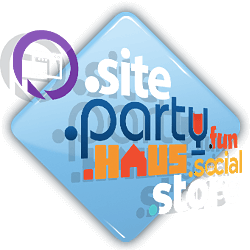
The Internet is expanding. Hundreds and eventually thousands of new domain name extensions, like .CLUB, .PHOTOGRAPHY, .ONLINE, and .XYZ are being added to the Internet. Take advantage of it! Create a memorable and search engine optimized name that will brand you on the Internet.
Whether you have a website that’s up and running, or you need to build one from scratch, be sure to add one of our easy to use hosting plans! With so many great features, our secure, reliable and high performing hosting is exactly what you need to your ensure your site is running at its fullest capacity.

Domains aren't just limited to regular letters and numbers anymore. Internationalized Domain Names are the future!
We support domains in many different languages*, so get a domain like:
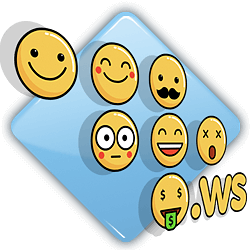
Curious about the latest IDN trend? Emoji Domains have arrived, and there's plenty to go around!
Did you know there are over 2,500 different Emoji? You can even mix Emoji with text, so imagine all the possibilities! Here's some examples:
 .ws
.ws .ws
.ws domains.ws


We're committed to making Domain Cost Club as simple and customer friendly as possible. We provide at-cost pricing for Club Members because we don't like tricks and gimmicks. We treat every aspect of Membership the same way.
Having second thoughts about a domain you've registered? We will delete and refund your domain up to 5 days after purchase!
Unwanted or Accidental Renewal? We will delete and refund your renewal up to 5 days after the initial date of renewal!
Want to transfer a domain out for some reason? We make it easy to transfer your domain to a new provider!